|
|
|
Evaldara is the software developed by DARA to read, validate and calculate test scores automatically and in real time. The best software on the market with unique features. Available in Spanish and English. More than 4,000 customers in Europe, America and Africa. |
 |
One of the main modules included in Evaldara. Specially designed for teachers. Developed by teachers for teachers
- Complete solution:
- Optic reader
- software Evaldara
- Print review
- Manuals and video tutorials
- Warranty, support and updates: one year.
Everything you need to start correcting your exams in a few minutos.Very easy to use, flexible and reliable.
|
Allows you to read and evaluate your exams, in minutes the exam will be corrected and with the final result of the test.
Printed on paper.
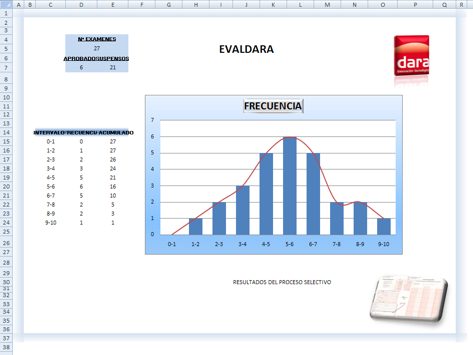
-Excel file, where you can also change the values for success, failure, change approved qualification, etc., automatically recalculating and obtaining new qualifications.
-Printed on the same sheet of exam. Each exam will be read, validated and directly the score will be printed on the review itself, further indicating successes, mistakes, white, etc.
Scores on two scales: Direct and transformed. Both defined by the teacher.
Complete and clear graphical reports. The most reliable, comprehensive and flexible solution on the market and also included at no extra cost to all our Lectodara equipment.
Need something else?
Evaldara is a software developed by DARA, original, in Spanish / English and adaptable according to the requirements of our customers. If you need a solution just let us know.
|
 |
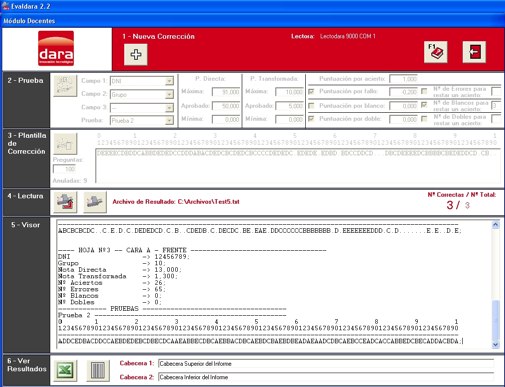 | Run Evaldara.
Enter the teaching module.
You will see the screen of theleft
Press new correction, enter the fields you want to appear in your reports, set the scale of direct score, the final scale (transformed scores) and passing score. Scoring success, failure, white and double mark.
This is the basic information, the teacher should introduce to correct its consideration. | 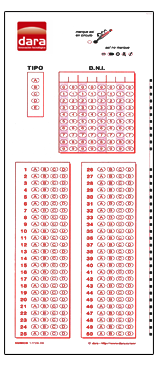 | | | | | 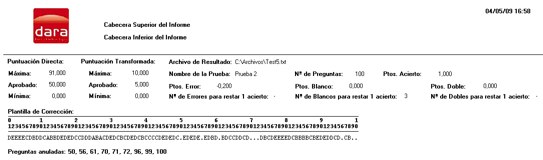 | Read the document containing the correct answers consideration (leave blank answer that question which wants to cancel, or dial a number To accept any answer as correct). Evaldara already has all the information necessary to correct the exam. | 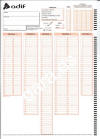 | 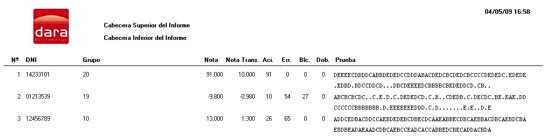 | Read all tests and automatically and in real time, they will be evaluated and will record the results. You will see on the screen answers given, hits, errors, score, etc. | 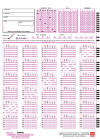 | According to validations that the administrator had defined to verify each test, you may under examination Evaldara asked some information or asks you to confirm some aspect. You will not have to worry about anything.
Based on this same configuration and depending on the model reader may be printed directly on each test the number of hits obtained, errors, white, double and score both direct scale and the final scale. Also you can print on paper (or pdf for example) the results and all the information generated in a MS Excel file, the correction parameters and the resulting statistics with graphical representation. Excel also in a very simple way you can vary the passing grade and verified as approved and suspended vary and set the optimum choice.
| | | | | | |

