|
|
|
The PROFESSIONAL system to read, validate in real time of reading and, evaluate exams automatically without human intervention.
From university test exams to opposition exams guaranteeing the reliability of the results, the anonymity in the correction and equal treatment to all opponents.
Data and color images automatically and indexed, to find immediately any image corresponding to a candidate and / or a qualification.
|
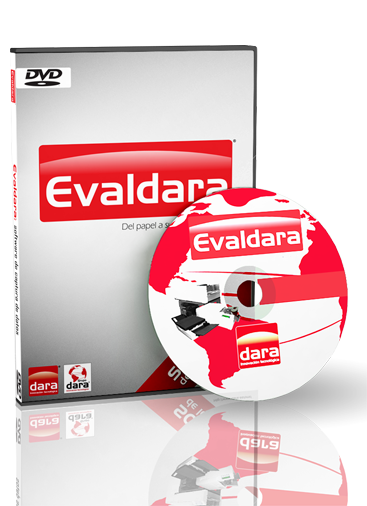 |
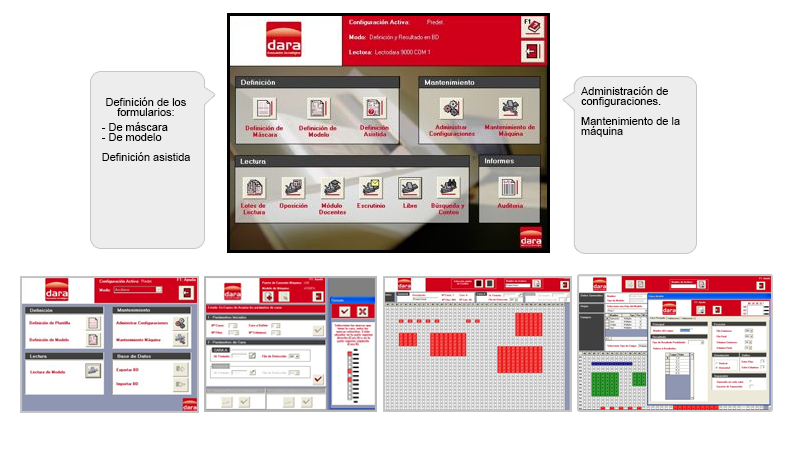
Reading software, developed by DARA, to capture data from paper. Used for the definition of the form’s structure, as well as the reading rules (depending on the field’s values we can determine to either save or not the read information, as well as classify the document according to the user’s criteria). After reading and processing the information from normalized forms, we obtain ASCII (.txt) or XML files, easily exportable to third-party applications (Access, Excel, SPSS, etc.) for the data mining.
Evaldara allows capturing information of any kind of form: surveys, ballots, worksheets, clinical analysis, etc., and most especially exams.
It has several modules for specific processes:
|
| TEACHERS |
Designed so that teachers can assess on their own -in a very quick and easy manner- simple exams: one answer key and one correct answer per question. To assess more complex exams (multiple answer keys and/or several correct answers per question) it is necessary to use the normal reading.
Unlike the normal reading, this module creates a report in an Excel file with a list results, as well as a variety of statistic information: percentages of pass/fail, basic statistics –maximum, minimum and average marks/grades-, a Gauss graph, a table of frequencies of up to 10 intervals with flexible ranges, a table of accumulations and an items statistic –how many people have answered each option for every question. This module allows importing personal data of the students to create listings prepared to be published. |
| OPINA |
The purpose of this module is to read satisfaction surveys and automatically generate reports for them in Excel. To do so, we must create an Excel file with the format, graphs and texts we want, and afterwards let Evaldara know in what cells it must save each statistic. After the surveys are read all the calculations of the percentages, averages, absolute values (count) and comparative (i.e.: analyzing the readings of several groups and showing the total results), inserting the results in their respective positions of the Excel report. As simple as that, but if you wish Dara can assist you in the creation of your own report. |
| TRACKING |
Track any manual o human-made variation or change in the information read by the optical readers.
|
| SIMIL |
Detects copycats, searching for similar answering patterns in the failed questions. It returns a report of those students who are likely to have copied from each other.
|
SEARCH AND COUNT |
Speeds up the search of forms and the counting of sheets in a very simple and intuitive way. |
|
|
| Evaldara is available in Spanish, English and Turkish. Soon available in French. |
|
 |
 |
|
|
|
|
|